
The webmail of the Lyon academy is based on the Convergence platform, a messaging service deployed by the Ministry of National Education. Each staff member (teacher, administrative, contractual) has an address in the format [email protected], activated as soon as they start their position. This address serves as the official channel for communications with the rectorate, institutions, and academic services.
IMAP Protocol and SMTP Server: the technical parameters of webmail ac-lyon.fr
Before configuring anything, it’s essential to understand two protocols. The IMAP (Internet Message Access Protocol) synchronizes emails between the server and the email client: messages remain stored on the server and can be accessed from multiple devices. The SMTP (Simple Mail Transfer Protocol) protocol only manages the sending of outgoing messages.
For the academic messaging of Lyon, the incoming IMAP server is generally accessible via an address of the type imap.ac-lyon.fr, and the outgoing SMTP server via smtp.ac-lyon.fr. The IMAP port uses a secure SSL/TLS connection, just like the SMTP port. These parameters are the same whether the configuration is done on Outlook, Thunderbird, or a mobile application.
The distinction between IMAP and POP3 deserves clarification. POP3 downloads emails locally and deletes them from the server (unless configured otherwise). For multi-device professional use, IMAP remains the logical choice: folders, attachments, and read status are synchronized everywhere.
A detailed guide allows you to access the webmail of the Lyon academy with all the server parameters to be entered in each email client.

Academic Username and Password: Resolving Connection Issues
The login identifier corresponds to the NUMEN or the identifier provided by the rectorate, often in the form of the first letter of the first name followed by the last name. The initial password is assigned when the account is created. It must be changed upon first login via the academy’s account management portal.
An unchanged password after the initial assignment remains the primary cause of access issues. The system requires a change, and as long as this step is not completed, access to the webmail via Convergence or an external client fails without an explicit error message.
In case of forgetting, the reset procedure goes through the academic portal. You must have a previously registered personal backup email address. Without this backup address, the only option is to contact the DSI (Direction des Systèmes d’Information) of the Lyon rectorate, which can take several business days.
Common Errors to Avoid During Authentication
- Entering the complete email address ([email protected]) instead of the short identifier requested by some forms, or vice versa depending on the portal used
- Confusing the local network password of the institution with that of the academic messaging, which are two distinct systems
- Using a browser with an expired session cache: clearing the cache and cookies resolves many “invalid credentials” errors
National Portal messagerie.education.gouv.fr and webmail.ac-lyon.fr: Two Entry Points
The academic messaging of Lyon is accessible from two distinct addresses. The classic academic portal, webmail.ac-lyon.fr, provides access to the Convergence interface with its messaging, calendar, and integrated address book functions.
The national portal messagerie.education.gouv.fr serves as an alternative that uses the same academic identifiers. Single Sign-On (SSO) allows switching between the two without re-entering credentials, provided you are already logged into one of the two portals.
This coexistence has a practical benefit: if the local academic portal undergoes maintenance or slows down, the national portal remains functional. For staff transferred from another academy, the national portal also simplifies the transition, as it federates access from all academies.
Outlook and Smartphone Configuration: Steps to Add the Academic Account
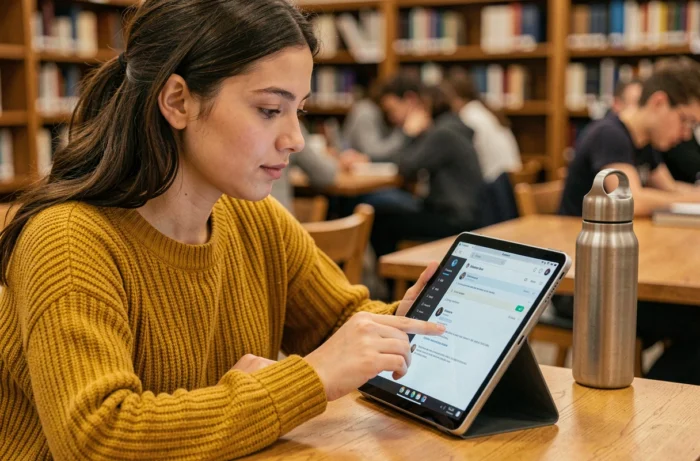
On Outlook (desktop version), manual configuration is preferable to automatic detection, which regularly fails with academic servers. You need to select the IMAP account type, enter the addresses of the incoming and outgoing servers, and then choose SSL/TLS as the encryption method.
On Android or iOS Smartphone
The native Mail app (iOS) or Gmail (Android) offers the option to add an “Other” account. The fields to fill in are the same: complete email address, IMAP server, SMTP server, username, and password.
- On iOS, the Mail app sometimes automatically detects the servers if the address is correctly entered, but manually checking the ports is still recommended
- On Android, Gmail asks you to choose between “Personal (IMAP)” and “Exchange”: select IMAP, not Exchange
- The synchronization frequency (push, every 15 minutes, manual) impacts battery life: checking every 30 minutes offers a good compromise
- Large attachments may not download on mobile data if the maximum size setting is too low in the app’s settings
Automatic Forwarding to a Personal Email
The DRANE of Lyon strongly advises against enabling automatic forwarding of academic emails to a personal address (Gmail, Orange, etc.). Academic messages may contain personal data about students or families. Forwarding to a non-sovereign service poses a GDPR compliance issue.
The alternative solution is to configure the academic account in parallel on the same email client, allowing you to check both inboxes without mixing flows or exposing data.
Several comparable academies are gradually migrating to the national platform messagerie.education.gouv.fr. Server parameters may evolve in the coming months. Keeping functional access to the national portal in addition to the local webmail remains the simplest precaution to avoid any interruption.